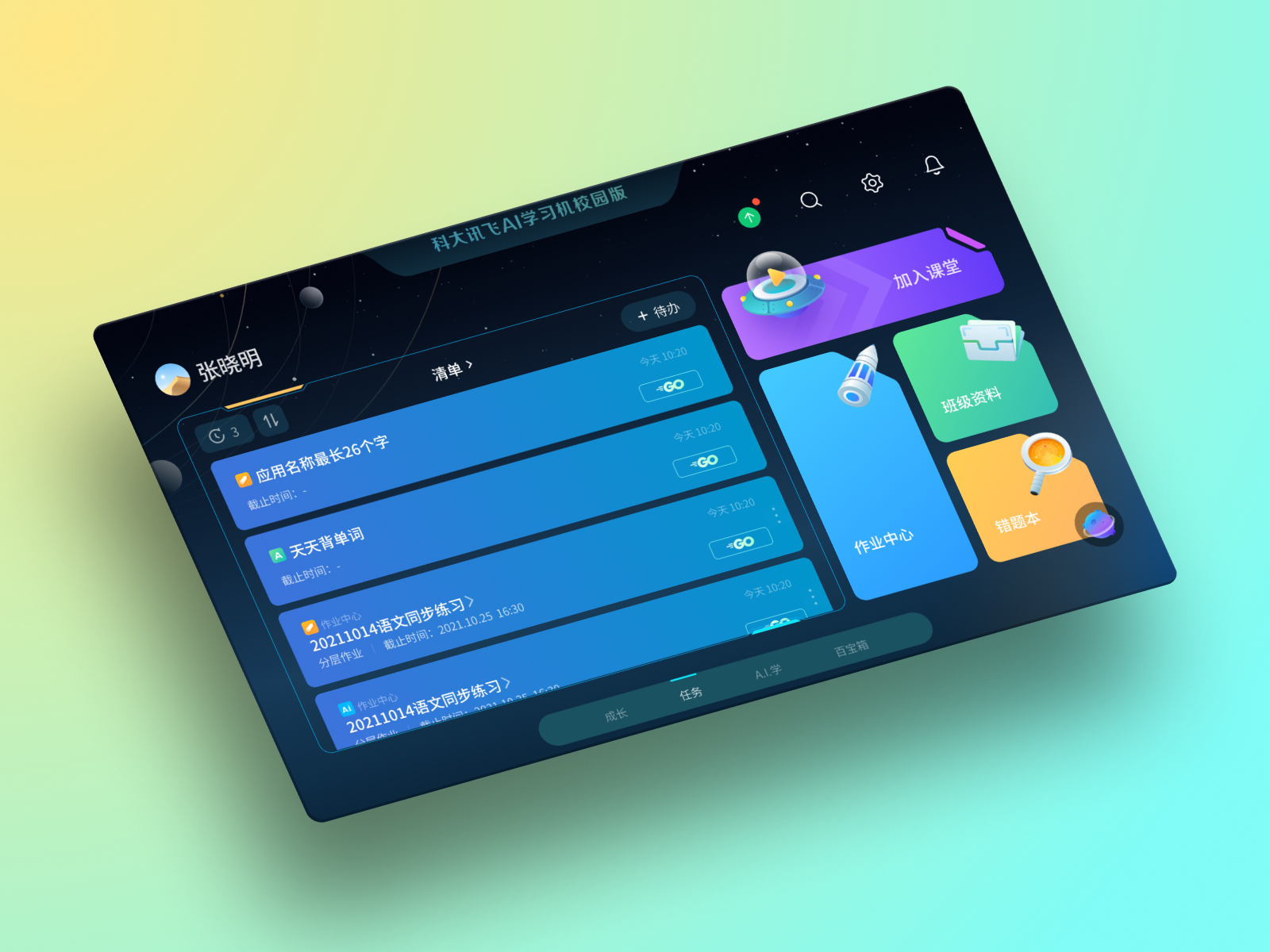
ZhiKe Student Pad 4.0

ZhiKe Student Pad 4.0

Getting students to study on their own, on a tablet their teachers didn't trust.

Over 7 years, ZhiKe's student tablet had split into 9 versions, all built for a teacher-led classroom. With my mentor, I was one of two UX designers who spent 6 months redesigning it around self-study, without making it feel like a game to the teachers and parents who decide whether students get to use it.

Role UX Designer (1 of 2)
Duration 6 months
Team Developers, Product Managers, UI Designers

TL;DR

Schools were moving toward self-directed learning, but the pad still assumed the teacher drove every task. Our research showed the bigger obstacle wasn't the students. About 80% of teachers were skeptical of the pads, and some locked them in cabinets. About 60% of parents worried that screen time was replacing study.

So we built motivation that adults could trust: the home screen is a to-do list instead of app icons, points come from finishing tasks rather than time on the device, and rewards are cosmetic only. Underneath, one flexible grid replaced the 9 separate homepage versions.

The Challenge

Seven years, nine versions, and a classroom that had changed

The pad was built for teacher-led lessons. Schools had moved on; the product hadn't.

Nine versions of one product

Seven years of layered code made every update slow, and students on different versions saw different apps.

Built for a different classroom

Teaching had shifted toward students directing their own study, but the pad still assumed the teacher assigned everything.

Motivating without hooking

Students needed a reason to study on their own, but most EdTech gamification borrows from games designed to be hard to put down.

What We Discovered

The adults deciding whether students could use the pad didn't trust it.

2,000+ student survey responses, 10+ interviews, 5 classroom observations, and backend usage data, which we turned into personas.

Most

students lack self-motivation outside the structured curriculum

~80%

of teachers were skeptical of the pads; some locked them in cabinets

~60%

of parents worried about screen time versus educational value

Students responded to cosmetic rewards and friendly competition

.01
Without an assignment, students don't know where to start
I know I should be studying, but when there's no assignment due, I just don't know where to start or what to focus on.
9th Grade Student, Hefei

Personas

Four kinds of students, by grades and time on the pad

Natural Talents

90%+ Grade 2hrs/week

Excel with minimal platform use

High Achievers

90%+ Grade 8hrs/week

Use the pad a lot, and it shows

Disengaged Learners

~60% Grade 1hr/week

Need motivation and support

Struggling Engagers

~80% Grade 6hrs/week

High engagement, need guidance

The Solution

Motivation that a teacher or parent can look at and trust.

A to-do list instead of app icons.

The home screen opens on today's tasks, both teacher assignments and goals students set themselves, so the first thing a student sees is work to do.

Points for finishing tasks, not for screen time.

Badges reward class participation and finished work, and leaderboards track study habits rather than grades.

Rewards that change how it looks, not how it works.

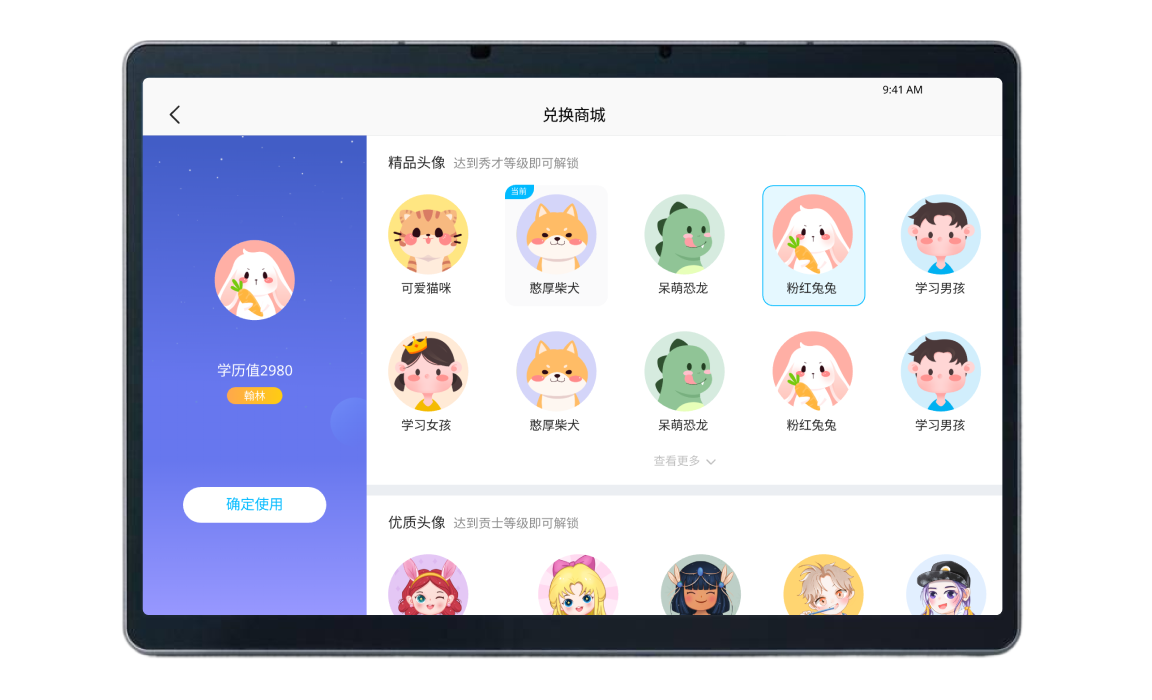
Avatars and themes are cosmetic only, and they expire, so they motivate without becoming something to grind for.

Progress that students, teachers and parents can all see.

Each gets a view of study habits and goals, while student privacy is kept.

The same pad for every student.

One interface across devices and subscription tiers, so no student gets a lesser version.

Solution demonstration

Key Features

What shipped

Design Strategy

Keeping gamification from turning into a game

Four rules we checked every reward against.

Learning comes first

The interface centers on goals, not apps

Reward work, not time

Points come from finishing tasks

Recognition, not ranking

Badges and encouragement instead of grade leaderboards

Easy to put down

Clear places to stop

Self-Directed Task Creation

Students set personal learning goals alongside teacher assignments

Progress Visualization

Charts that show growth without a countdown

Learning-Focused UI

To-do lists replace app icons on the home screen

Learning-Based Points

Rewards for finishing tasks, not time spent on the device

Level Progression

Levels unlock study perks at a controlled pace

Time-Limited Perks

Avatar themes expire, so there's always a reason to earn the next one

Badge System

Recognition for taking part in class and for finished work

Healthy Leaderboards

Ranked on study habits and improvement, not grades

Peer Encouragement

Classmates can send each other gifts and encouragement

Natural Stopping Points

Finishing a task is a natural moment to put the pad down

Cosmetic-Only Rewards

Avatars and themes never change what the pad can do

Parent-Friendly Design

Looks unlike commercial apps, so parents can tell study from play

Gamification Prevention Design

Under the Hood

One flexible grid instead of nine homepages

We replaced 9 separate homepage versions with one grid framework, working closely with developers to fit it onto legacy code.

Before: nine versions

  • Nine homepages to maintain
  • Students saw different apps depending on their version
  • Every update slowed down by legacy code

After: one framework

  • 60% less maintenance time
  • One consistent experience across versions
  • A base that new features can build on

Results

Usage figures come from backend data; satisfaction comes from a survey of students and teachers.

53%
increase in daily active users within three months
38%
improvement in student self-study time
50%
increase in student-set goals completion rates
92%
satisfaction rate among students and teachers

What I Learned

Gamification for kids needs a brake as well as an engine.

Every reward we designed came with a limit: points for finished tasks rather than time, cosmetic rewards that expire, and natural places to stop.

Old software comes with habits.

Students and teachers knew the old layouts, so modernising 7-year-old code meant changing the structure without breaking what people already relied on.

In education, the user isn't the only one deciding.

Parents and teachers decide whether a student gets to use the pad at all, so their concerns shaped the interface as much as the students' needs did.

Next Case Study

Student Note Taking App